Quickstart
Install KMGraph, initialize a knowledge graph, and capture your first lesson — in under 5 minutes.
Step 1 — Install
- Claude Code
- Codex CLI
- Cursor / Windsurf / VS Code
- Generic MCP
- Any platform (manual)
claude --plugin-dir /path/to/knowledge-graph
Verify the plugin loaded: type /km and the autocomplete menu should show kmgraph commands.
codex plugin marketplace add technomensch/knowledge-graph
codex plugin add kmgraph@knowledge-management-graph
Skills and MCP tools activate immediately. Run /kmgraph:kmg-init in a Codex session to initialize a knowledge graph.
Paste the contents of INSTALL.md into your AI assistant. The installer detects the platform, configures the MCP server, and initializes the knowledge graph automatically.
Requires an assistant with terminal and file system access.
# Build the MCP server
cd mcp-server && npm install && npm run build

# Register in your IDE's MCP config
# Point to: mcp-server/dist/index.js
See Platform Adaptation for IDE-specific registration steps.
Copy core/default-templates/ into your project. Follow the template READMEs to manually create lessons, ADRs, and session summaries without any automation.
commands/, skills/, or agents/These directories are Claude Code plugin-specific and will not function outside the Claude Code plugin system.
Step 2 — Initialize

/kmgraph:kmg-init
The wizard asks for:
- Project name
- Git tracking — enable for automatic branch/commit metadata on every capture
- KG type —
project-local(default) stores in the project;personalstores at~/.kmgraph/and is shared across all projects
Init also scaffolds knowledge/me.md (your identity and working style, gitignored) and knowledge/rules.md (project conventions, committed). These give any AI platform consistent context without platform-specific rewrites. See Your AI Profile.
Step 3 — Capture your first lesson

/kmgraph:kmg-capture-lesson
Describe what you just learned or solved. The command structures it into a markdown file with categories, tags, and git metadata.
Step 4 — Recall it

/kmgraph:kmg-recall "what you captured"
Full-text search across all captured lessons, decisions, and patterns.
Step 5 — Check status
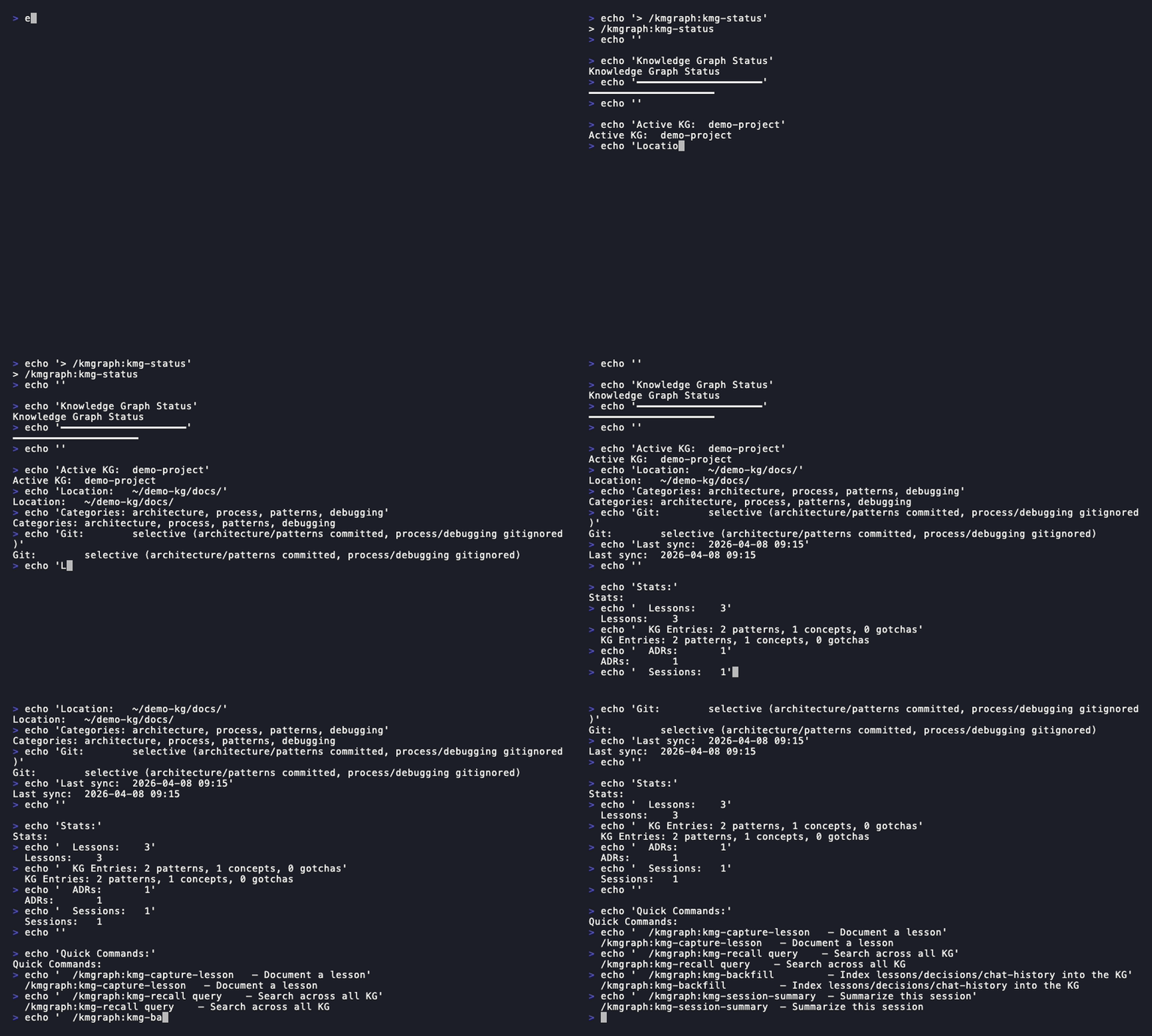
/kmgraph:status
Shows the active knowledge graph, entry count, and recent captures.
The capture pipeline
Run /kmgraph:kmg-backfill any time to index existing lessons, decisions, or chat-history into the graph, and /kmgraph:kmg-session-summary at the end of a session to capture what happened.
Troubleshooting
Stale Plugin Cache
If you see outdated commands or features, the plugin cache may be stale. Clear it and reinstall:
- Claude Code
- Codex CLI
rm -rf ~/.claude/plugins/cache/stayinginsync-knowledge-graph/kmgraph/
/reload-plugins
rm -rf ~/.codex/plugins/cache/knowledge-management-graph/kmgraph/
codex plugin uninstall kmgraph
codex plugin marketplace add technomensch/knowledge-graph
codex plugin add kmgraph@knowledge-management-graph
Related
- Capturing — Save a lesson, ADR, or pattern from your current session
- Command Guide — Complete command reference with examples and learning path
- Concepts — How the knowledge graph is structured and why
- Cheat Sheet — All commands at a glance